Most AI meeting tools stop at the transcript. The useful ones keep going: they turn the notes into drafted follow-up emails, CRM updates, and task chasers, so the meeting actually leads somewhere. Transcription is a solved problem. Follow-through is where the value, and the dropped balls, live.
Key takeaways
- Transcription is solved; the real value is turning a meeting into finished follow-up work.
- A follow-through agent drafts the recap email, updates the CRM, and creates and chases actions.
- Everything client-facing waits for your approval, so nothing sends itself.
- Speed matters: a recap in minutes rather than days quietly wins business.
- Transcription quality sets the ceiling, so a decent microphone earns its keep.
A transcript you never action is just a very accurate record of good intentions. Here is how to close the gap, and how it connects to the wider pillar guide.
The problem with transcription-only tools
Note-takers are excellent at capturing what was said. But a perfect transcript sitting in a folder does not send the follow-up, does not update the deal, and does not chase the action you promised. You still do all of that, usually days later, usually half-remembered. The tool solved the easy 20% and left you the hard 80%. That gap is where deals cool, promises slip, and the value of a good meeting quietly leaks away, not because anyone was careless, but because the follow-through is the part that always loses to the next meeting.
What a follow-through agent does instead
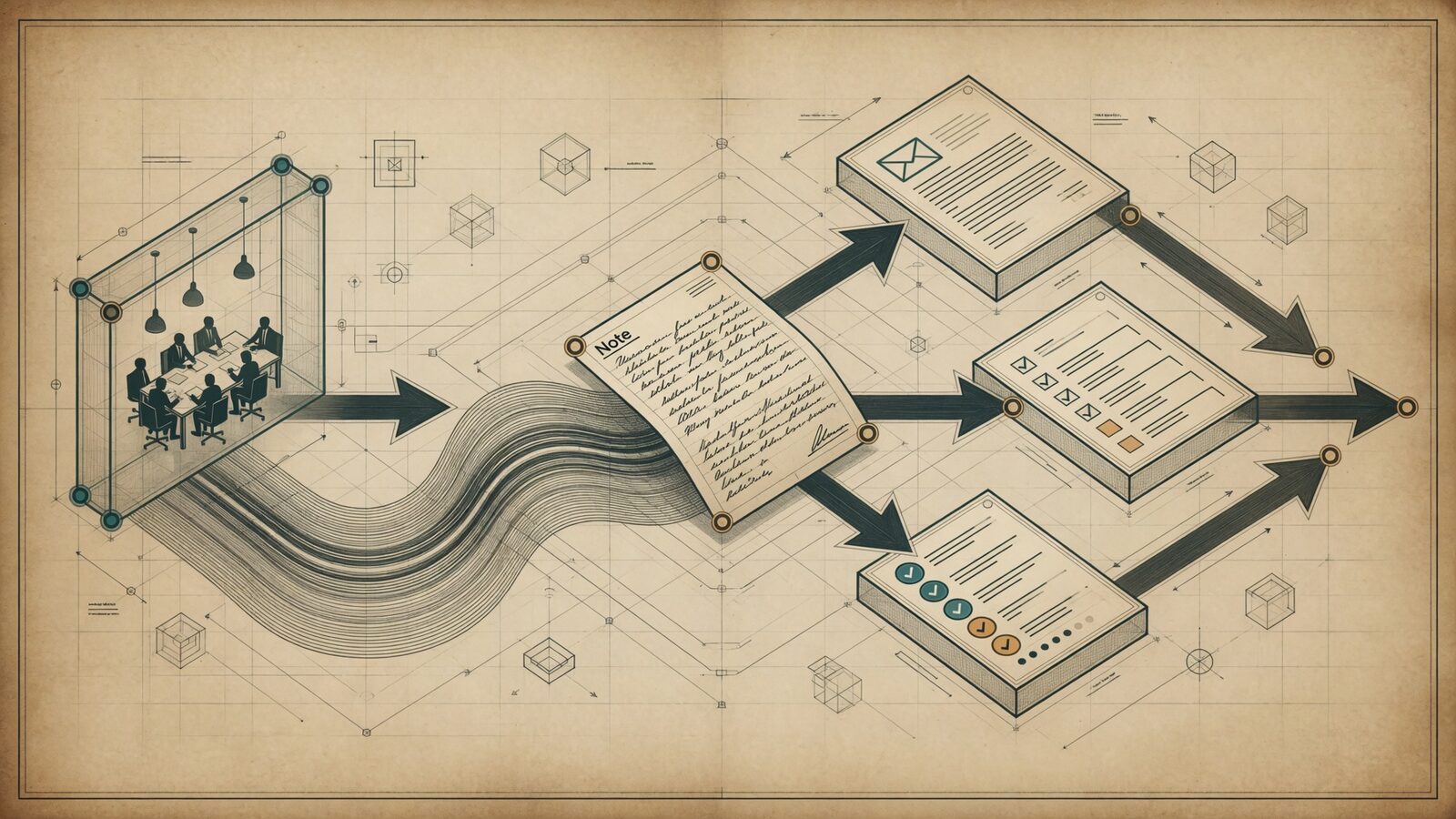
It treats the meeting as the start of the work, not the end of it. From the notes, it drafts the follow-up email in your voice, ready to approve and send. It updates the CRM with what was agreed and the next step. It creates the action items as tasks and, where you allow, chases the owners as deadlines approach. You leave the room and the follow-up is already drafted. In effect it converts talk into finished work automatically, which is the difference between a meeting that generates a record and a meeting that generates momentum.
Transcription versus follow-through, side by side
| Transcription tool | Follow-through agent | |
|---|---|---|
| Records the meeting | Yes | Yes |
| Summarises key points | Yes | Yes |
| Drafts the follow-up email | No | Yes, in your voice |
| Updates the CRM | No | Yes, for approval |
| Creates and chases actions | No | Yes |
| Result | A tidy record | Work moved forward |
A real before and after
Before: you finish a good call, mean to send the recap, get pulled into the next thing, and send it two days later with a vague "great to chat." The deal cools. The action slips. After: the agent drafts the recap while you are still saying goodbye, logs the next step in the CRM, and sets the chaser. You tap approve on the way to your next meeting. The client gets a sharp follow-up in minutes, not days, and speed like that quietly wins business. The contrast is not about working harder; it is about the follow-through happening on its own instead of waiting for a gap in your day that never comes.
A tangible example: imagine Karl after back-to-back calls
Imagine Karl, who has five client calls in a day and used to spend the evening writing recaps and updating records, if he got to them at all. With a follow-through agent, each call ends with a drafted recap, a proposed CRM update, and the action items captured, all waiting in his queue. It is realistic to picture Karl clearing a day's worth of follow-up in fifteen minutes of approving, and never again losing a deal because the recap went out three days late. The meetings did not change; what changed is that the work they generate now drafts itself.
Where the human stays in
Nothing sends itself. The drafted email waits for your approval, because the recap of a client meeting is not something you let software fire off unsupervised. And transcription quality sets the ceiling, so a decent microphone earns its keep. The agent handles the drudgery of turning talk into action; you keep the judgment on what actually goes out, which is exactly the human in the loop pattern applied to meetings.
How it fits with your other agents
Meeting follow-through rarely stands alone. The recap it drafts flows naturally into your CRM updates; the actions it creates can feed a chaser or a follow-up agent; and the summary can surface in your morning briefing. It is one module of a wider AI team, and it gets more valuable as it connects to the others. Start on the home page if you want it wired into your stack.
What a good follow-through setup includes
A follow-through setup is more than a note-taker with an export button, and knowing what to look for saves you buying the wrong thing. A good one captures the meeting accurately, yes, but then it identifies the decisions and commitments inside the conversation, drafts the recap in your voice rather than a generic template, proposes the specific CRM changes the meeting implies, and turns the promises into tracked tasks with owners and dates. Crucially, it routes anything client-facing through your approval rather than sending on its own. If a tool stops at "here is the transcript and a summary," it has done the easy part; the value you are actually paying for is the part that converts that summary into finished, approved work. Judge any option on how much of the follow-through it removes, not on how neat its transcript looks.
Handling recurring meetings
Recurring meetings, the weekly team sync, the monthly client review, are where a follow-through agent quietly compounds. Because it remembers previous sessions, it can carry forward open actions, flag the ones that slipped, and start each recap with "here is what we said we would do last time and where it stands." That continuity is exactly the thing humans lose track of across a busy month, and it turns a series of disconnected meetings into a running thread with accountability built in. For a standing client review, that means you walk in already knowing what is outstanding, and the client sees a firm that never drops a commitment, which is worth far more than a tidy transcript.
Getting started with meeting follow-through
Starting is refreshingly simple. Connect the agent to your meeting tool and your CRM, tell it whose voice to draft in and what your follow-ups usually contain, and run it in draft mode for a couple of weeks so you approve every recap and update before it goes anywhere. Once the drafts consistently match what you would have written, you let it send routine recaps within limits while still queuing anything sensitive. Within a fortnight you typically go from writing recaps in the evening to approving them on the way out of the room, which is the whole point.